
You learn to recognise phishing by practising, not by getting caught out.
Traditional phishing tests mainly measure who clicks. In the Arda Phishing Inbox, employees knowingly practise in a realistic email environment and get instant feedback after every email.
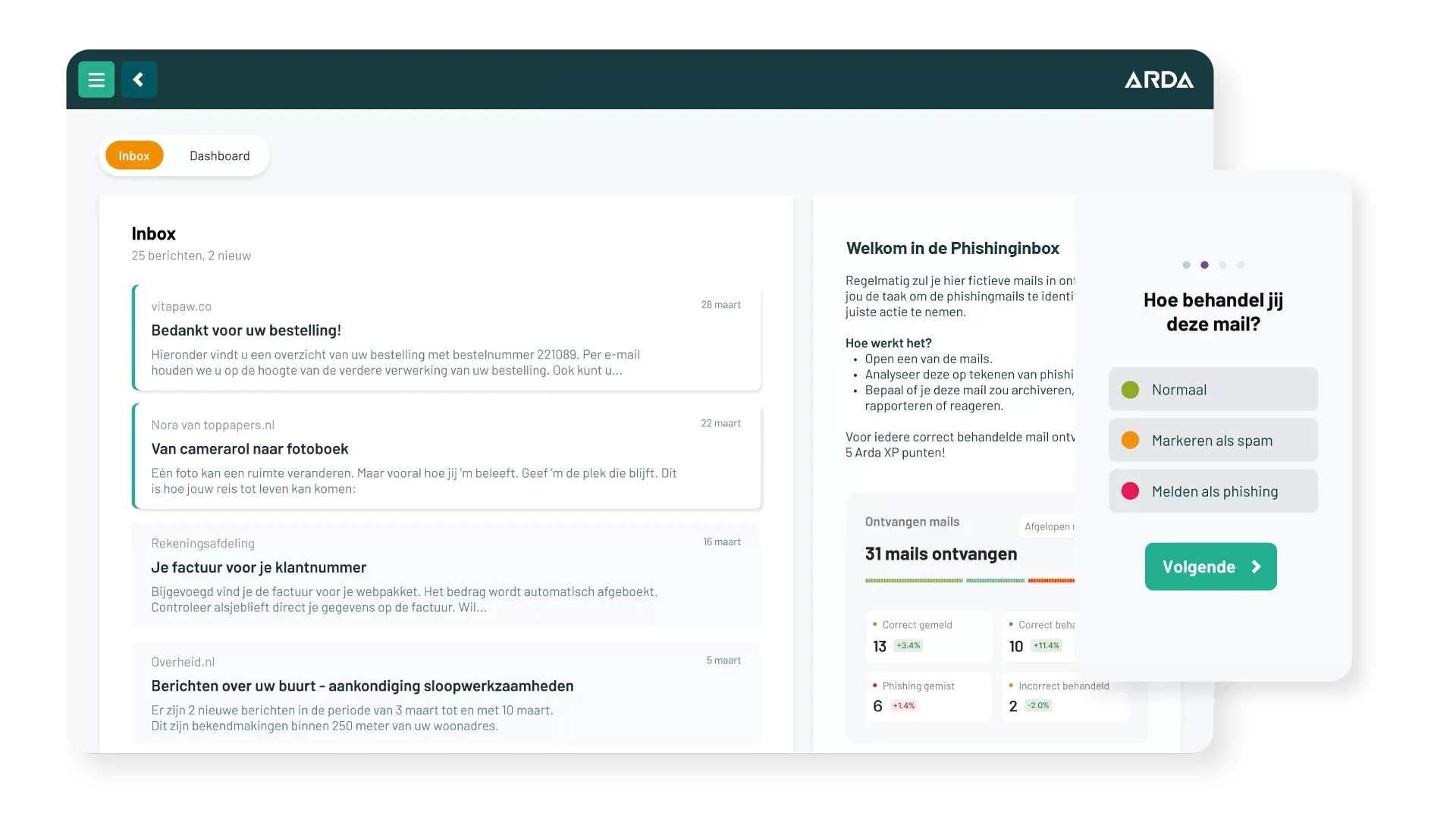
The Arda Phishing Inbox is a realistic, simulated email environment within the Arda security awareness platform. Employees learn to recognise phishing by reviewing emails, making a choice, explaining why and getting instant feedback. Over several periods, the organisation sees how safe email behaviour develops.
In a traditional phishing simulation, employees don't know they are being tested. They only find out afterwards that they fell for it.
Awareness calls for repetition, not a single lesson. A test among 33,000 SME employees shows that a fake phishing email only makes a brief impression.
That doesn't make testing pointless. But it does show that lasting better behaviour takes more than the occasional test email.
Gonzalez-Jimenez et al. (2025), Journal of Economic Behavior & Organization, 230. doi.org/10.1016/j.jebo.2024.106868
We tell employees upfront, just like with a fire drill.
Employees regularly receive a small batch of emails. They know they are practising, but not which emails are safe or unsafe. No fake emails are sent through the organisation's real email environment. And it's not just phishing: all kinds of emails come up:
Training, not catching out. Not just counting clicks, but actually changing behaviour.
The employee checks the sender, content, links and any attachments, just like in a real mailbox.
Handle it normally, mark it as spam or report it as phishing.
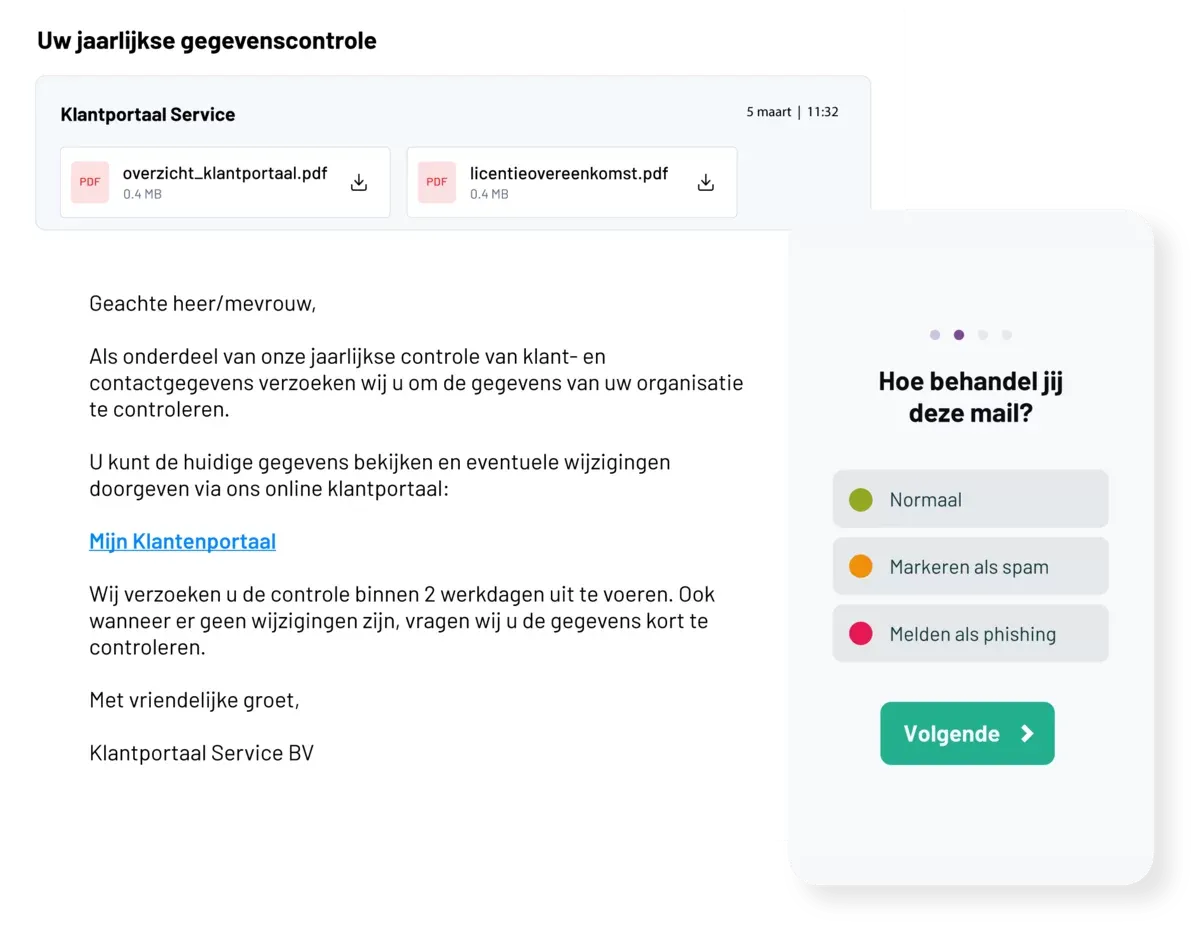
Which signals drove the choice: the sender, the content, a link or an attachment?
So you see not only what someone does, but also why.
Every email is followed by immediate feedback: what went well, what didn't and which signals mattered?
Want to see what this looks like for your employees?
Request a free demoThe Phishing Inbox looks beyond the familiar click rate.

The platform records how employees actually deal with email: do they check the sender, inspect links, open an attachment, which choice do they make and why?

Handling a legitimate email correctly is just as relevant as recognising phishing. This gives a more complete picture of the digital resilience of employees and teams.

The organisation decides how often emails are sent and can tailor scenarios to its sector, the software it uses and job groups.
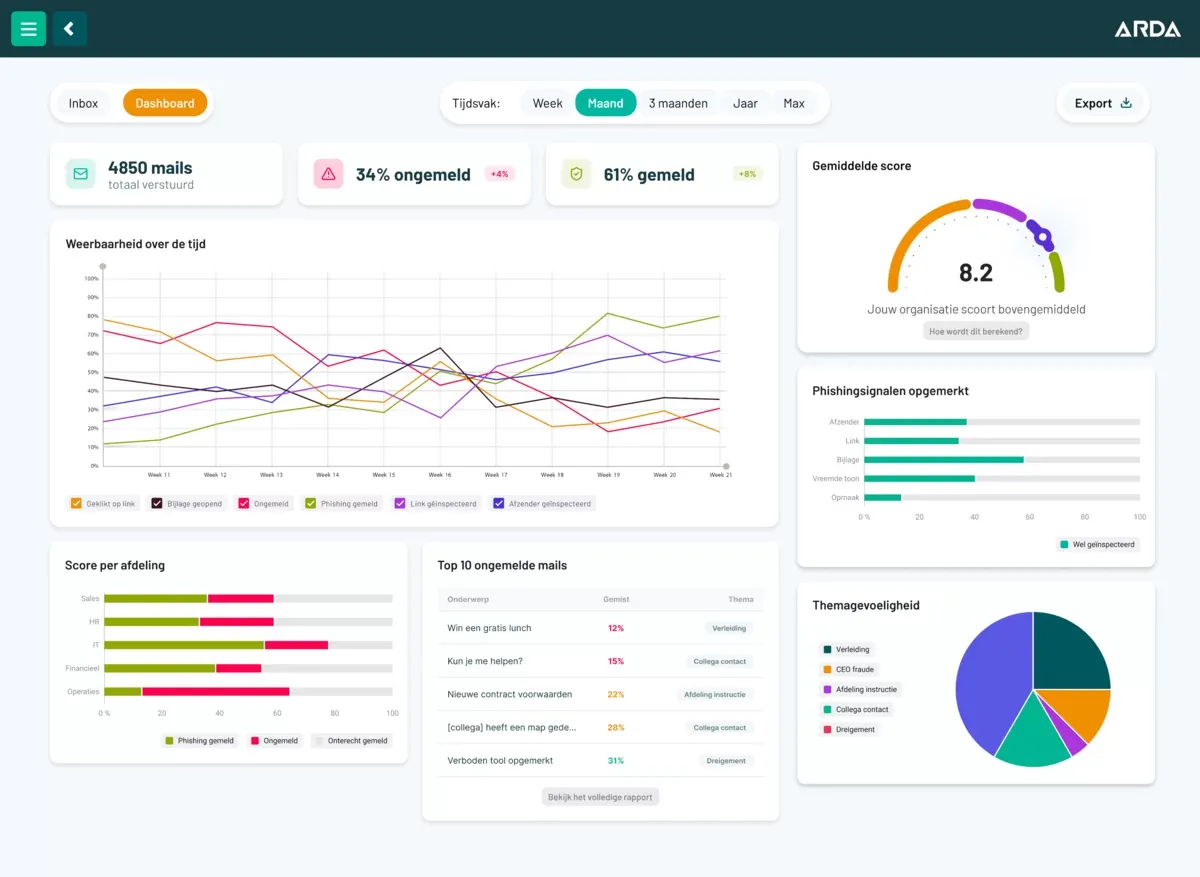
The dashboard shows, among other things, how many emails have been handled, what percentage was handled correctly, where signals are being missed and how results develop over several periods. Results can be filtered by period and department, for example, and exported for reporting and audits.
The Phishing Inbox puts the emphasis on practice and behaviour, rather than the moment someone falls for an email.
The Phishing Inbox is part of the Arda platform. No separate implementation project is needed: no allowlisting (whitelisting), no changes to filters or gateways and no exceptions to your own security. The organisation sets the frequency itself and can tailor scenarios to its sector, the software it uses and job groups.
These studies show correlations, not guarantees. But they do support why the Phishing Inbox trains and measures behaviour, rather than just counting clicks.
Researchers from the universities of Bath and Bristol had participants work in a simulated inbox. In the scenario for IT specialists, consistently checking the sender went hand in hand with lower susceptibility to phishing. In the other scenarios they found no such link.
Their conclusion: such a check mainly protects people who also know what to look out for. That's why the Phishing Inbox explains the key signals after every email.
Weickert, Joinson & Craggs (2026), Computers & Security, 170. doi.org/10.1016/j.cose.2026.105057
That was the finding of a study with 115 participants who processed emails in a simulated email environment. Participants paid attention to the sender in 64% of the phishing emails they saw through, compared with 36% of those they fell for.
The percentages refer to the share of cases in which the sender address was checked. Participants rarely hovered over a link to see its real destination.
Zhuo et al. (2024), European Symposium on Usable Security. doi.org/10.1145/3688459.3688465
In an online demo of about half an hour, we show how employees practise and what you see as an organisation:
Prefer to pick a time straight away? Choose a date and time slot or call +31 85 401 84 87.
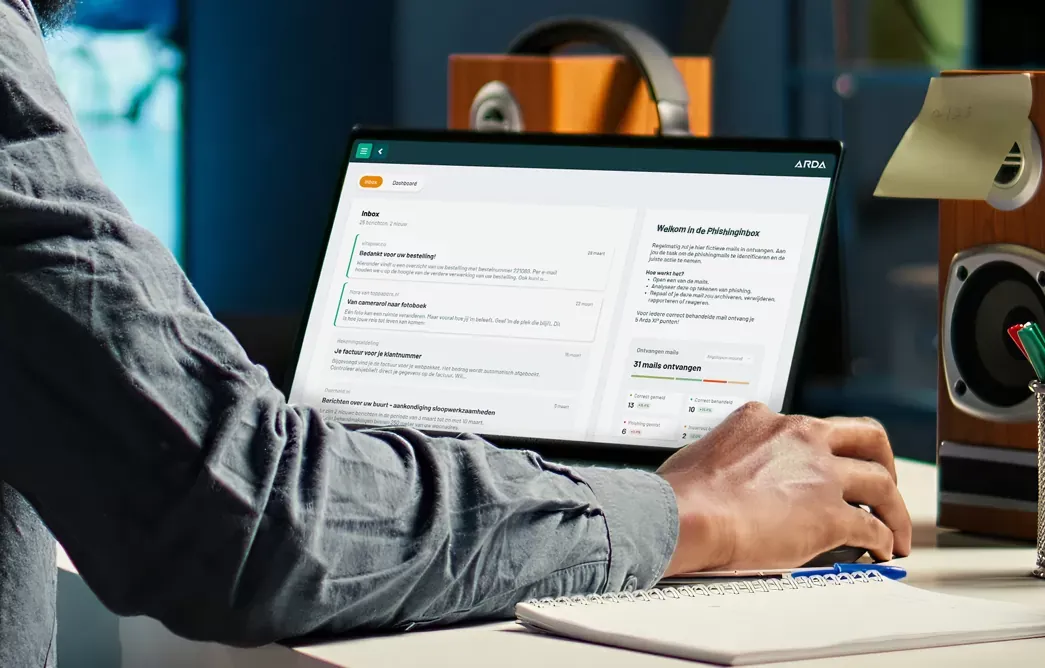
A good alternative is a practice environment in which employees knowingly and continuously learn to recognise phishing, such as the Arda Phishing Inbox. Employees regularly receive a small batch of emails, check the sender, content and links, make a choice, explain why and get instant feedback. That way you train safe behaviour and measure more than just clicks.
Phishing tests can provide insight and keep employees alert, but the effect doesn't last on its own. A Dutch field experiment among some 33,000 employees of around 670 SMEs found only a non-systematic short-term effect of earlier phishing emails on later click behaviour. Lasting resilience requires continuous practice, targeted feedback and attention to the checks employees carry out.
A phishing test sends a fake email to the real mailbox and mainly measures who clicks. The Phishing Inbox is a realistic practice environment within the Arda platform. Employees know they are practising, but not which emails are safe. They assess phishing, social engineering, spam and ordinary email. The platform records what they check, which choice they make and why.
Yes. Arda continues to run traditional phishing tests for organisations that want them. You can use a classic phishing campaign as a one-off measurement or alongside the Arda platform, including the Phishing Inbox. That way you combine a realistic test in the real mailbox with continuous practice in a safe environment. During the demo we're happy to discuss which combination suits your organisation best.
No, click behaviour alone gives a limited picture. A click says little about what someone noticed, considered or learned. If you want to measure resilience, look at complete decision-making behaviour: does an employee check the sender, inspect links, open an attachment, and why do they make a particular choice? Handling a legitimate email correctly is part of that too.
By approaching it like a fire drill: employees know they are practising. In the Arda Phishing Inbox they regularly receive a small batch of emails and assess them in a safe environment. They just don't know which emails are safe or unsafe. Every email is followed by an immediate explanation, instead of a message afterwards saying they fell for it.
The key checks are: who the sender really is, whether the domain of the email address is right, whether the content and the request fit the context, where a link really leads and whether an attachment can be trusted. Research shows that checking the sender mainly helps when employees know what to look out for. That's why the Phishing Inbox points out the key signals after every email.
Often enough to make the checks routine, without it becoming a burden. In the Phishing Inbox, the organisation sets the frequency itself. Employees then receive a small batch of emails each time. Because the dashboard shows development over several periods, you can see whether the chosen rhythm works and adjust it.
No. The Phishing Inbox is part of the Arda platform and doesn't send fake emails through the organisation's real email environment. So no separate technical project is needed: no allowlisting or whitelisting, no changes to filters or gateways and no exceptions to your own security. Scenarios can be tailored to sector, the software used and job groups.